


 Skip to content
 Services › Meshing
by Metacomp Technologies
Meshing for CFD and FEA, developed by the same team behind CFD++.
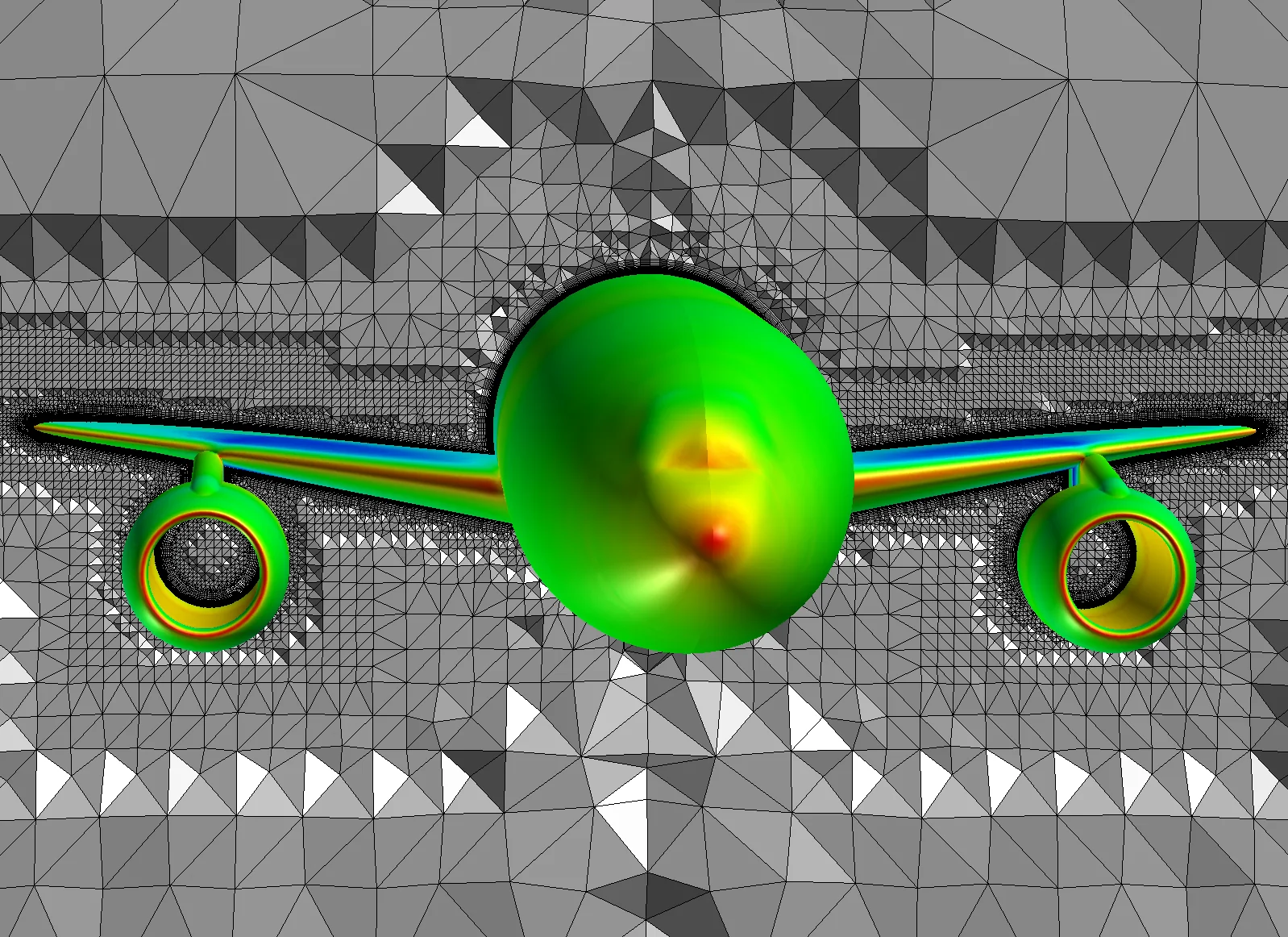
MIME was conceived by the team that develops CFD++. Mesh and solution come from the same vendor and are distributed by ATS, with a single point of support for the whole workflow.
MIME automatically obeys every vertex, edge and face of the imported geometry, which keeps the CAD model's details in the surface mesh.
The General Size Automation Wizard applies entity and regional mesh sizes based on the size and complexity of the model, with curvature-based refinement. The user only picks the refinement level.
The same environment serves flow in CFD++, structures in CSM++ and aeroacoustics in CAA++, which simplifies setting up multiphysics and fluid-structure interaction models.
MIME (Multipurpose Intelligent Meshing Environment) is Metacomp's 2D and 3D mesh generator. It imports CAD and STL geometry and builds hybrid meshes with prism layers at the walls, ready for CFD++ and for multiphysics models with CSM++ and CAA++. It is not a CAD package: the focus is on consistent, repeatable meshing of complex geometry.
Reads Parasolid and ACIS solid models and discrete representations such as STL, with automatic STL tagging to define boundary regions.
Prism offset meshing from triangulated surfaces and quad surface extrusion, with volume control in the transition to the tetrahedral mesh.
Point, volume-based and curvature-based refinement to size elements at leading edges, blades and highly curved regions.
Wizards such as the Aerospace Wizard automatically produce boundary-layer meshes for typical aircraft configurations.
Meshing sequences can be replayed without the GUI, which simplifies parametric and mesh-independence studies.
Solution-based adaptive refinement with CFD++ and meshes shared with CSM++ for fluid-structure interaction.
Select an image to see each example.
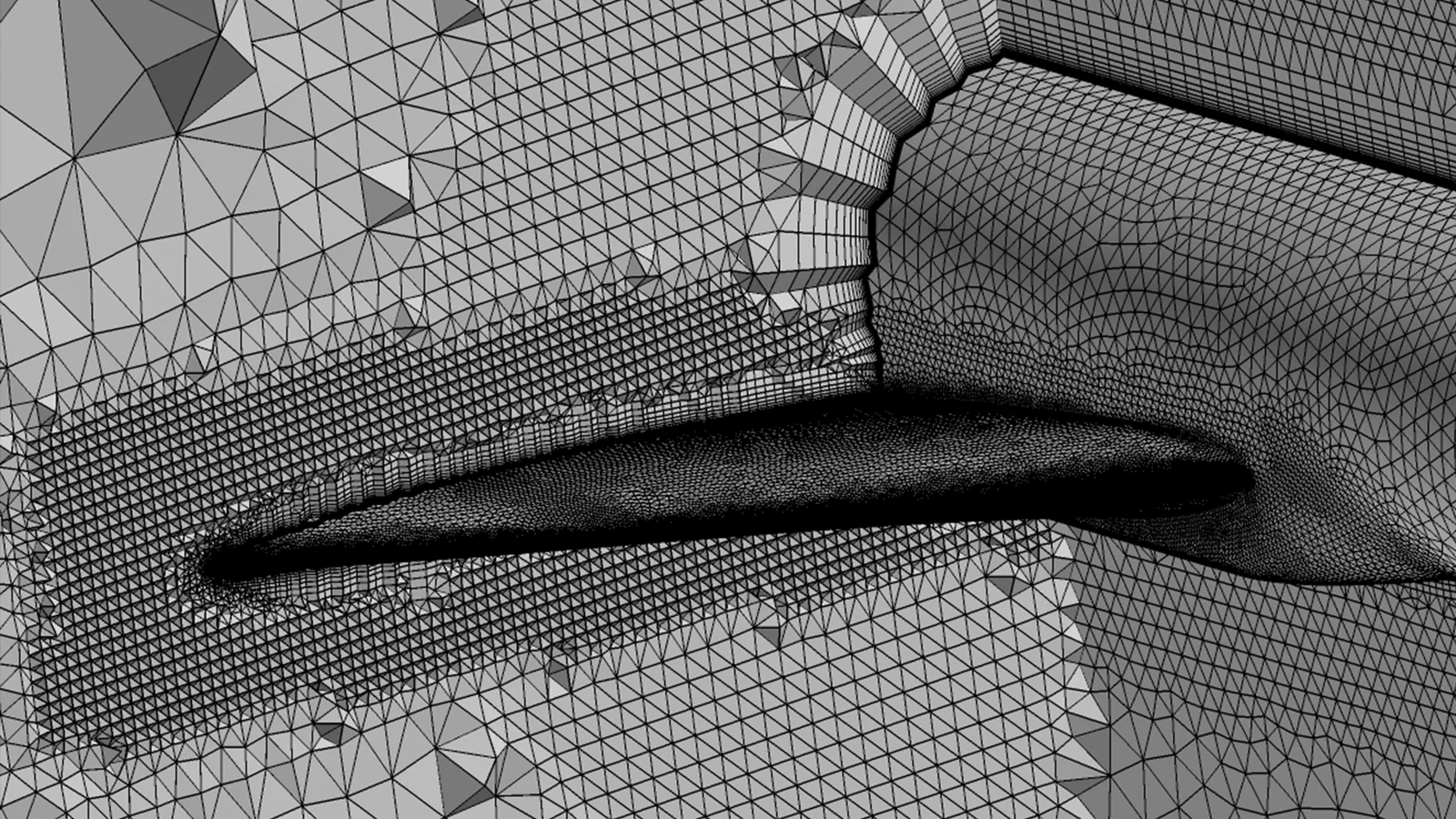
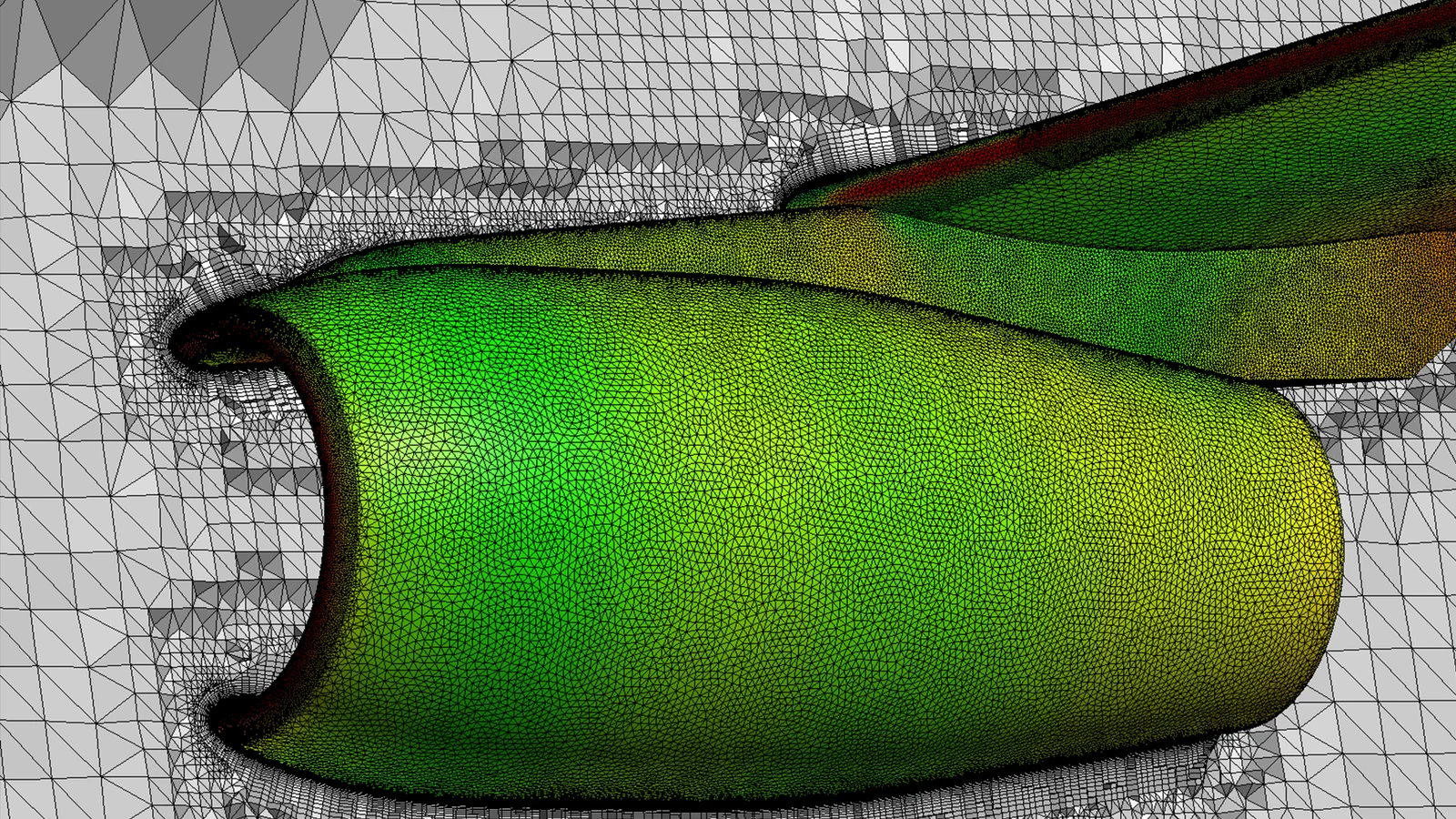
Full aircraft mesh ready for drag and load calculations.
Volume mesh on a cut plane around a commercial aircraft, refined near the fuselage, wings and nacelles.
Evaluation licenseTry MIME on your own case before buying, with an ATS engineer alongside.
Courses taught by engineers who use MIME on real aerospace, mining, oil and gas and industry projects.
Local technical support and help setting up and validating your first project.
Parasolid and ACIS solid models and discrete STL geometry. With SIM++, Metacomp's geometry preparation tool, MIME gains access to more native CAD formats.
Yes. MIME runs from the command line and regenerates meshes without opening the GUI, so mesh-independence studies or geometry variations can be chained in scripts.
Yes. ATS offers training in Portuguese and helps prepare the first meshes, fitting MIME into the CFD++ workflow. Metacomp also runs dedicated MIME courses.
ATS provides an evaluation license on request and presents the licensing options for MIME and the other Metacomp tools, based on your workflow.
Tell us about your case. An ATS engineer will get in touch to show MIME running on a problem similar to yours.